 AI chat + team inbox for Shopify
Answers from your store.Your team for the rest.
SayMaya answers product, order and policy questions with your live catalog, prices, policies and discounts. When a shopper wants a person, or the AI is unsure, the chat moves to your team inbox.
Free plan available. Paid plans start with a 14-day free trial, billed through Shopify.


Maya
Shopping assistant for Juniper & Oak
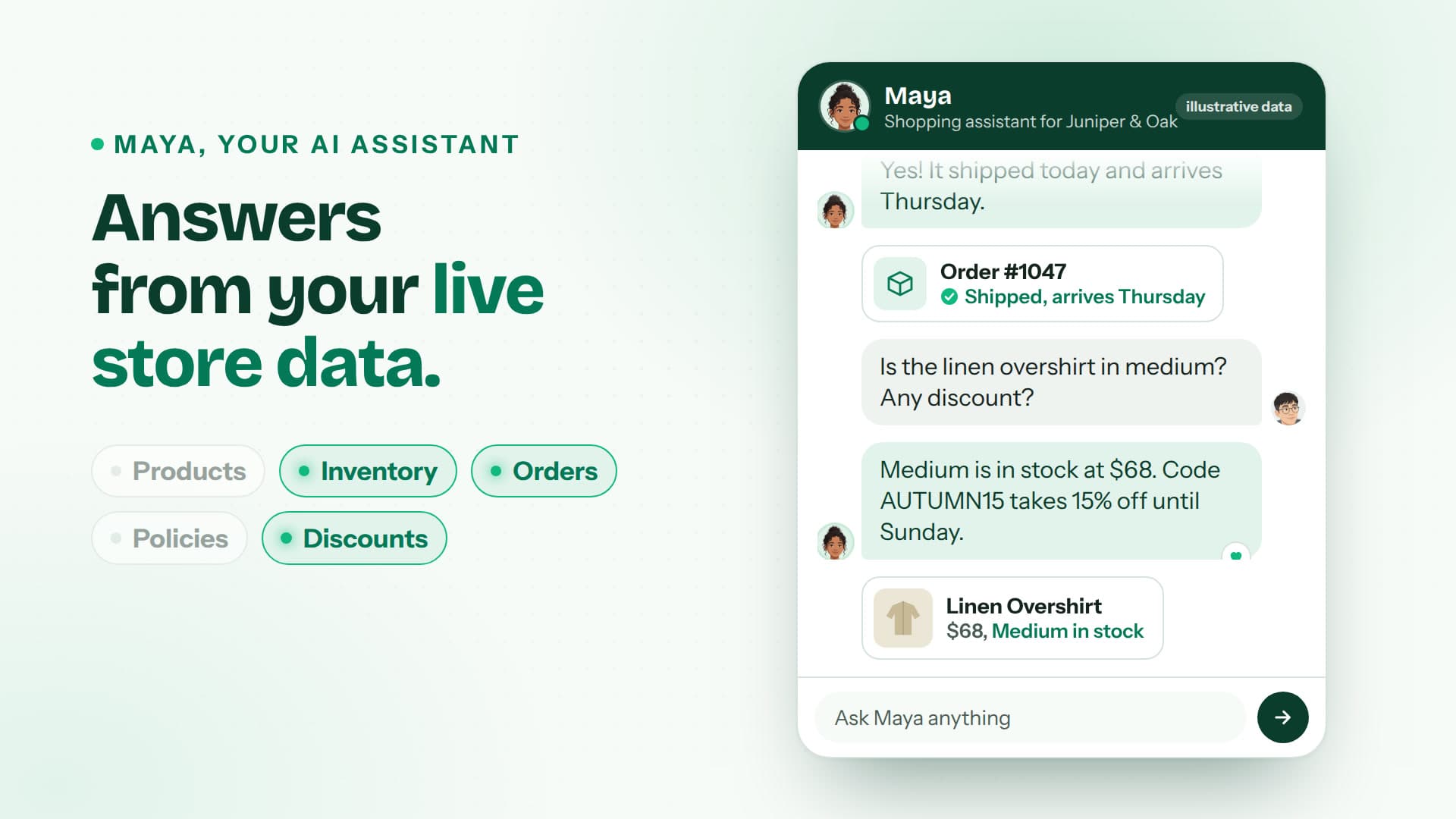
Shopper: Do you have the linen overshirt in medium? Any discount on right now?

MayaAI
Maya: Yes, Medium is in stock at $68. Code AUTUMN15 takes 15% off full-price items until Sunday.
💚Linen Overshirt
$68, Medium in stock
Shopper: Can someone change the address on order #1047?
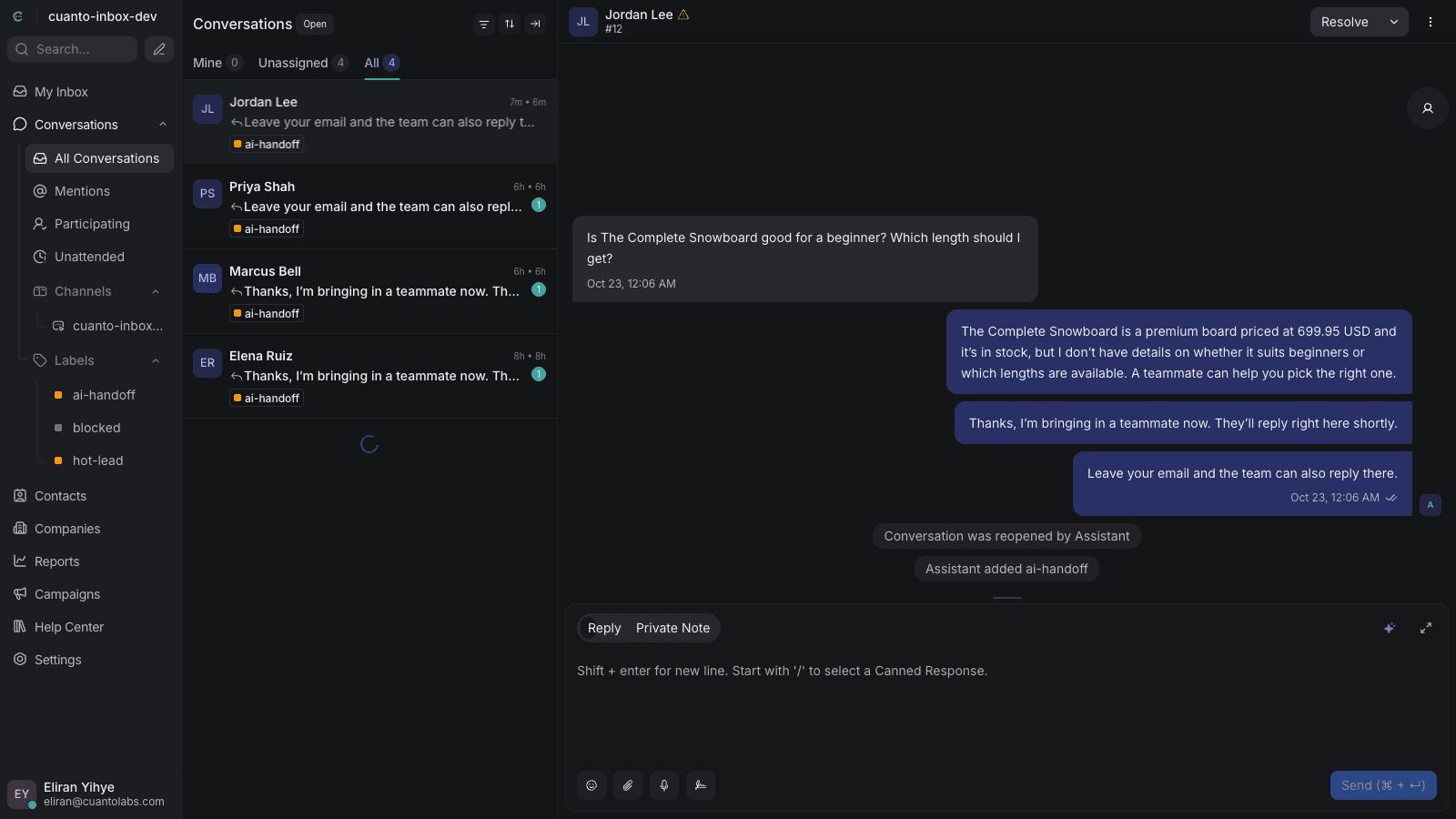
Maya: Address changes are handled by the store team. Bringing someone in now.
Handed to Dana on your teamDana, your team
Dana: Hi, it's Dana. I can update that for you. What's the new address?
Live on your store without touching code
Install from the Shopify App Store
Approve the app in your Shopify admin. Your team inbox is created for you, with one-click sign-in from the app.
Switch on the chat in your theme editor
SayMaya is a theme app embed. Turn it on, save, and the chat button appears on your storefront. No code edits, no theme files to change.
Choose what the AI may use
In Settings, pick the data the assistant can answer from: products, inventory, orders, policies and discounts. Change it any time.
Built for the questions shoppers actually ask
- Answers from live store data
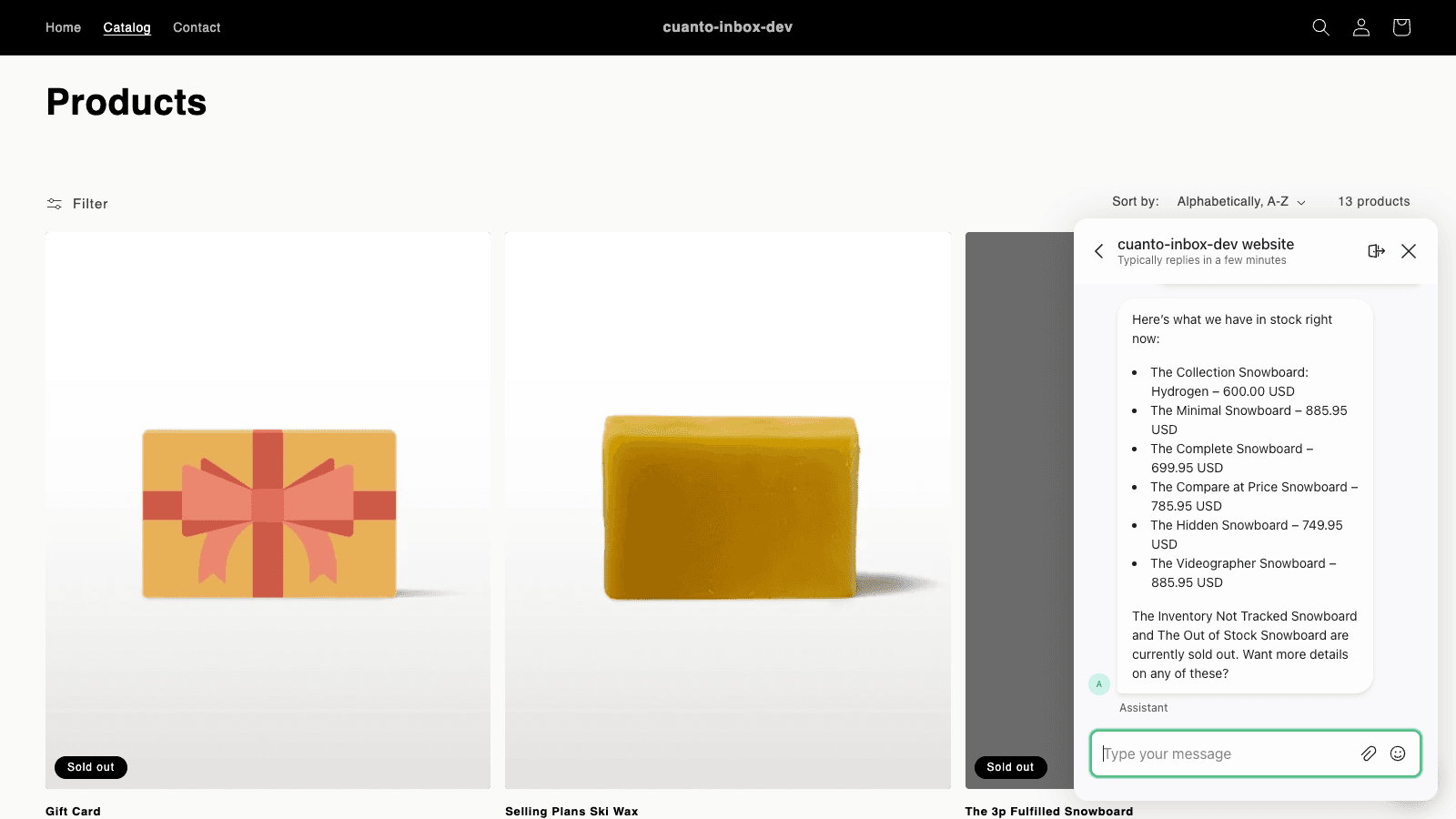
- Product details, prices, stock, store policies and active discounts come straight from your Shopify store, so answers match what is on the shelf today.
- Order status, verified
- The assistant checks an order only when the shopper gives a matching order number and email. No match, no order details.
- No invented discounts or promises
- Guardrails stop the AI from making up codes, deals or commitments, and keep it on topic when someone tries to trick it.
- One team inbox
- Every chat lands in a shared inbox in the browser. Your team picks up handed-off chats with the full conversation in view.
- Handoff notices by email
- When a chat moves to a person, your team gets an email so nobody has to watch the inbox all day.
- Light on page speed
- Until a shopper reaches for the chat, your page carries only a small deferred launcher. The chat window loads when they tap it.
- You decide what the AI sees
- Turn each data source on or off in Settings: products, inventory, orders, policies, discounts.
- One price, AI included
- The team inbox and the AI come in every plan. No separate helpdesk subscription, no AI add-on.
What the AI handles, and when your team steps in
SayMaya is built so the AI answers what it can answer well and passes the rest to a person. Shoppers are never stuck in a loop with a bot.
 The AI answers
- Product questions: sizes, materials, what is in stock, which item fits a need
- Prices and active discounts, exactly as they are set in your store
- Store policies: shipping, returns, exchanges
- Order status, after the shopper gives a matching order number and email
Your team takes over
- The shopper asks for a person
- The AI is unsure of the answer
- Refunds, cancellations, address changes and anything that moves money or edits an order
- Your AI conversations for the month are used up: new chats go straight to the inbox
Simple pricing. AI and inbox included.
Every plan includes the AI assistant and the team inbox. Paid plans start with a 14-day free trial. Billed through Shopify every 30 days, in USD.
Free
$0forever
- Conversations per month
- 100 conversations / month
- Answered by AI
- 50 answered by AI
- Trial
- No card needed
Starter
$29/month
- Conversations per month
- 200 conversations / month
- Answered by AI
- 100 answered by AI
- Trial
- 14-day free trial
Growth
Most stores start here$99/month
- Conversations per month
- 800 conversations / month
- Answered by AI
- 400 answered by AI
- Trial
- 14-day free trial
Pro
$299/month
- Conversations per month
- 3,000 conversations / month
- Answered by AI
- 1,500 answered by AI
- Trial
- 14-day free trial
Questions
More in the full FAQ.
What is SayMaya?
An AI shopping assistant and team inbox for Shopify stores. It adds a chat button to your storefront, answers shopper questions from your live store data, and hands chats to your team when a person is needed.
Do I need to edit my theme code?
No. SayMaya is a theme app embed. Turn it on in the Shopify theme editor and save.
What does the AI use to answer?
Your live Shopify data: products, prices, inventory, store policies, active discounts and orders. You choose which of these it may use in Settings.
How are order lookups kept private?
The assistant shares order status only after the shopper gives an order number and the email that matches it. Without a match, it shares nothing about the order.
Can the AI make up a discount or promise something?
It is built not to. It quotes only discounts that are active in your store and does not make commitments on your behalf. Anything it cannot answer goes to your team.
What happens when the AI cannot help?
When a shopper asks for a person, or the AI is unsure, the chat moves to your team inbox and your team gets an email notice.
Give shoppers answers from your store, today
Install SayMaya, switch on the chat in your theme editor, and choose what the AI may use. Start on the free plan or try a paid plan free for 14 days.